Bài đánh giá này được viết bằng Tiếng Anh.
Grammarly Review 2026: Is Pro Worth $12 a Month?
Grammarly review 2026: what the free plan catches, what Pro costs on monthly, quarterly and annual billing, accuracy tests, security, and who should pay.
Bởi Simple Life Reviews · Cập nhật
Bài này được nghiên cứu và soạn với sự hỗ trợ của AI từ các thử nghiệm và phản hồi người dùng công khai, sau đó qua kiểm tra tự động về số liệu, nguồn và một lượt biên tập. Chúng tôi không dùng thử sản phẩm trực tiếp. Cách chúng tôi đánh giá
Một số liên kết trong bài là liên kết affiliate. Nếu bạn mua qua đó, chúng tôi có thể nhận hoa hồng mà bạn không mất thêm chi phí.
Điểm của chúng tôi
The best proofreader available with a generous free plan and near-universal integration; weak style and AI suggestions, unreliable detectors and a steep monthly price cost it half a point.
Điểm theo sản phẩm
- Grammarly
Grammarly has been the default spelling and grammar checker for over a decade, and in 2026 it is trying to be something bigger: an AI writing partner with agents, a plagiarism checker, an AI detector and a parent company that renamed itself Superhuman. The question behind most searches for a Grammarly review is narrower. Is the free version enough, and is Grammarly Pro worth paying for when ChatGPT is free? We read the 2026 tests at PCMag, ComputerTech, Geediting, Kindlepreneur, Demandsage and With Himanshu, the company's own pricing page, and what writers on Reddit and Trustpilot report, to answer that.
Verdict in short: Grammarly Free is the best free proofreader you can install, and for most people it is enough. Pay for Pro on the annual plan if you write for a living, study, or write English as a second language and want rewrites, tone help and plagiarism checks; do not pay the month-to-month rate, and do not expect it to make your prose better than you can.
What Grammarly is
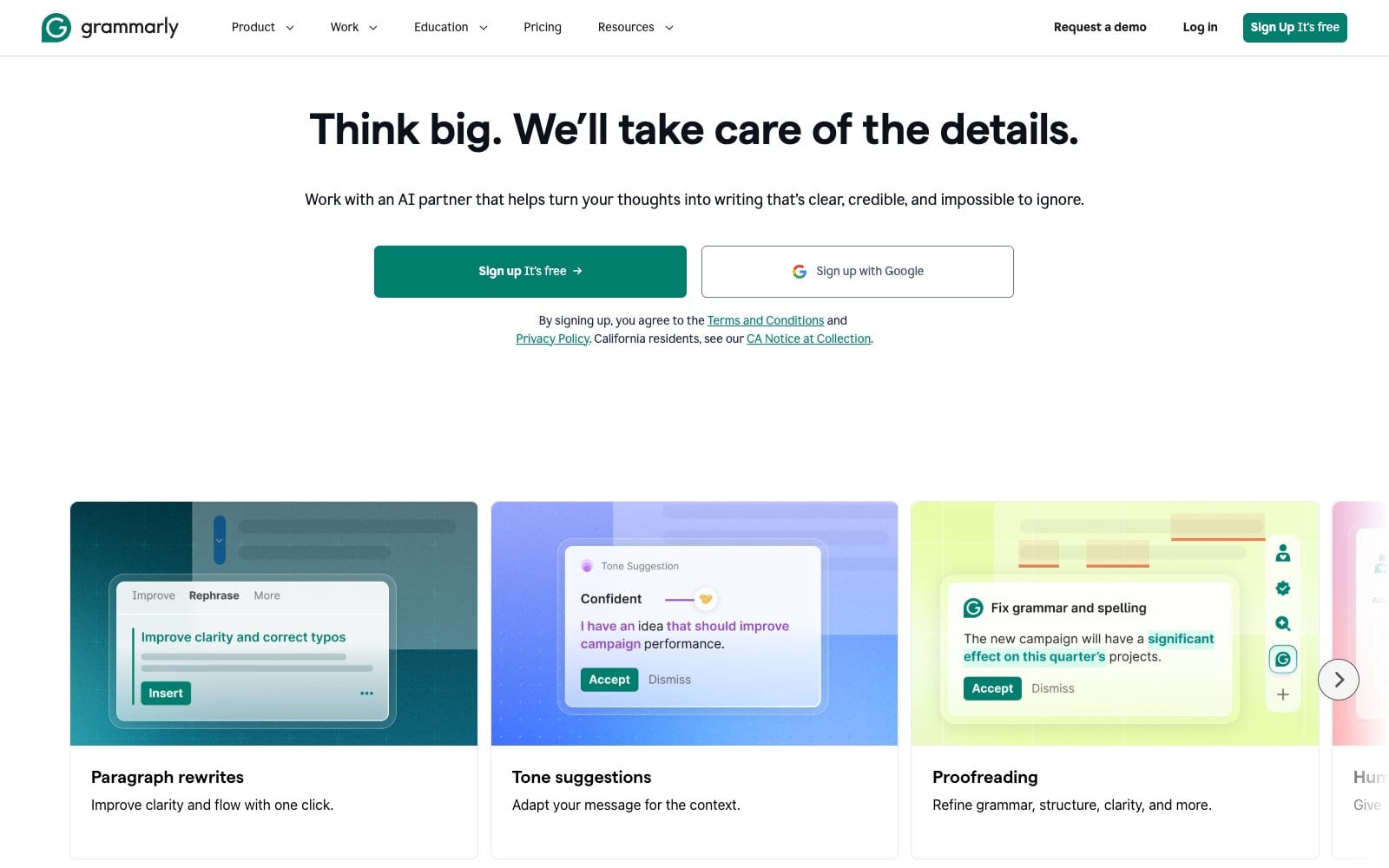
Grammarly is a writing assistant that runs wherever you type: a browser extension for Gmail, Google Docs and social sites, desktop apps for Windows and Mac that reach into Word and Pages, mobile keyboards, and a web editor. ComputerTech traces it back to its 2009 founding, and the brand's own site says it is trusted by 50,000 organizations and 40 million people. Geediting adds the deeper history: the co-founders had been building writing software since the late 1990s and released their first product, Mydropbox, in 2002, signing nearly a thousand universities within five years.
The core job has not changed. It underlines spelling, grammar and punctuation errors as you type, explains why, and offers a fix. What has changed is everything stacked on top: tone detection, full-sentence rewrites, generative AI prompts, plagiarism and AI-content detection, and, since 2025, agents.
Pricing
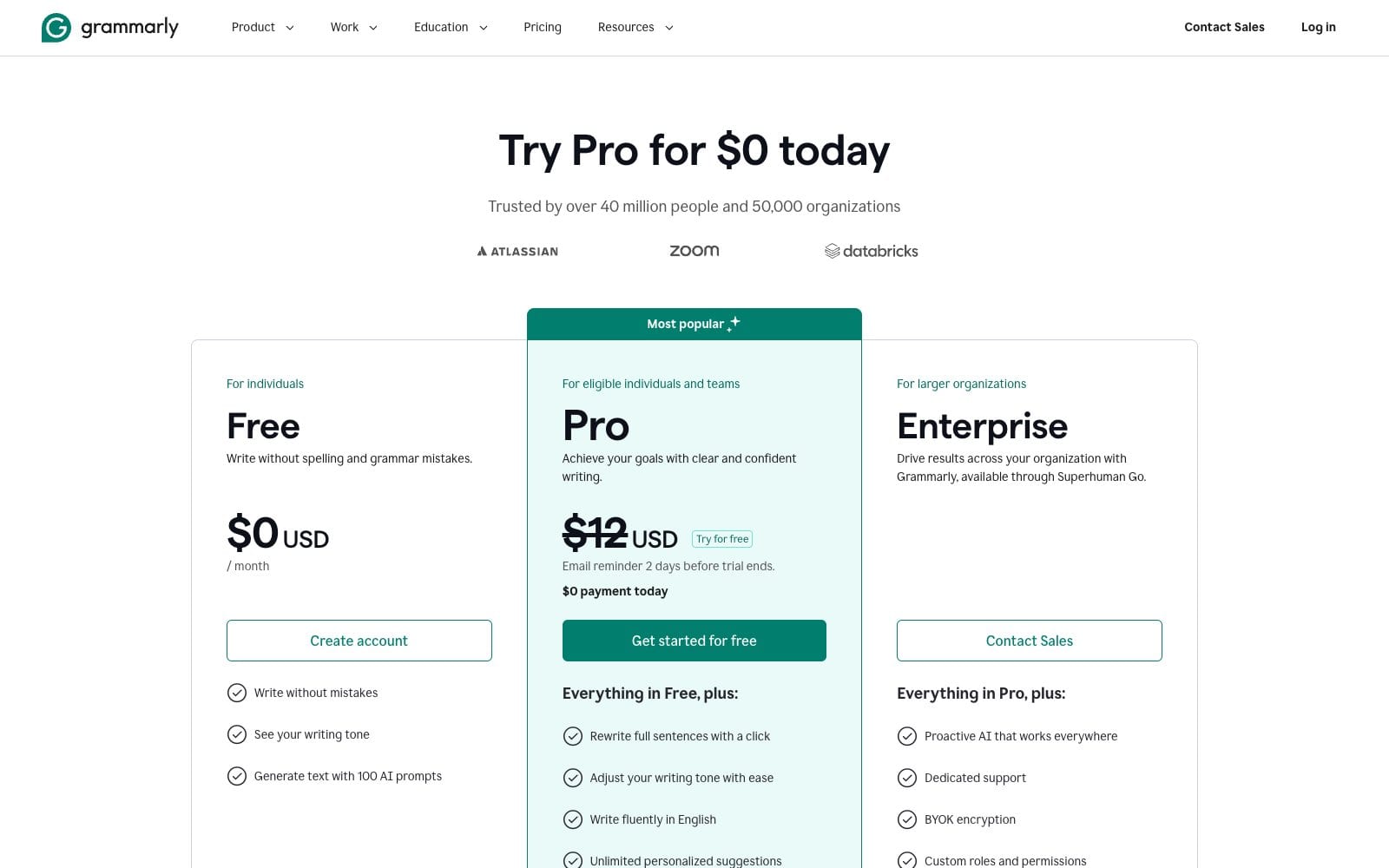
Grammarly simplified its plans, which is why the reviews agree for once. ComputerTech lists Grammarly Pro at $12 a month when billed annually ($144 a year), $20 a month billed quarterly ($60) or $30 month to month, and estimates Enterprise at $15–25 per user per month on a custom quote. PCMag confirms the $12 annual rate, a seven-day trial for Pro, and the prompt limits that separate the tiers: 100 AI generations a month on Free, 2,000 on Pro.
| Plan | Price per month | Limits | Free tier |
|---|---|---|---|
| Grammarly Free | Free | Spelling, grammar, punctuation and tone detection; limited AI prompts; no rewrites, plagiarism or AI detection | Yes, no time limit, no card |
| Grammarly Pro | ComputerTech: $30 billed monthly, $20 a month billed quarterly, or $12 a month billed annually ($144) | Full rewrites, tone adjustment, fluency, plagiarism and AI detection, citation tools, one style guide, far more AI prompts | Week-long trial per PCMag |
| Grammarly Enterprise | ComputerTech: custom quote, typically $15–25 per user per month | Unlimited AI prompts, SSO, SCIM, custom roles, data loss prevention, dedicated support | Through sales |
Two things to know before you pay. With Himanshu notes that Grammarly moved Premium subscribers onto the single Grammarly Pro plan from March 2025, and Demandsage reports that the old Business plan was folded into Pro too, so a team of up to 149 members now buys seats on the same plan. And the monthly price is the trap: at $30 it is more than double the annual rate, so the right move is the free plan until you are sure, then a year of Pro. Cancelling is a toggle in account settings; you keep Pro until the paid period ends and then drop to Free with your documents intact.
Free vs Pro: what you actually get
The free plan is better than most paid competitors' free tiers. Demandsage points out that free Grammarly checks up to 10,000 words at once where ProWritingAid's free version stops at 500, and Kindlepreneur's author, a decade into the trade, says 95% of people should simply use the free version.
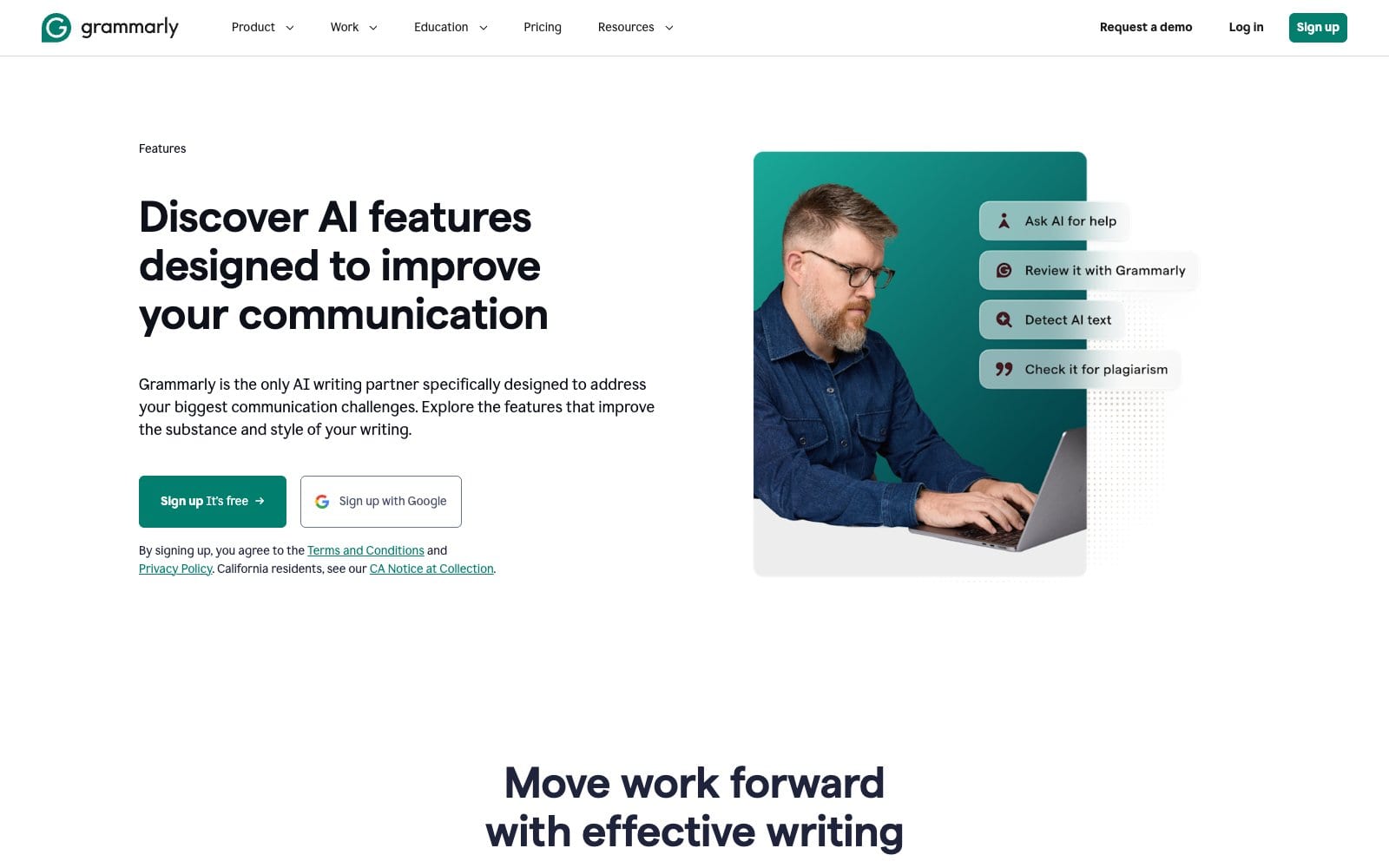
Pro earns its price in five places, according to With Himanshu: plagiarism checks against over 16 billion web pages and ProQuest's academic databases, full-sentence rewrites, the AI detector agent, 2,000 AI prompts a month and one style guide for a team. ComputerTech adds tone adjustment, citation consistency and the Fluency feature, which it calls arguably the best tool for learning to write natural English, and Kindlepreneur values the genre-specific style suggestions for authors.
What changed in 2025 and 2026
With Himanshu keeps the clearest changelog. AI agents arrived in August 2025 inside a new docs editor: Reader Reactions, an AI Grader, a Citation Finder, a Paraphraser and the AI detector. In October 2025 the company renamed itself Superhuman while the product kept its name, and PCMag notes that Superhuman's bundles, which add Coda, Superhuman Go and Superhuman Mail, sell for the same price as Grammarly alone. In March 2026 Grammarly pulled its AI Expert Review feature after complaints from authors, and the legacy Microsoft Office add-in is being retired in favour of Grammarly for Windows.
Accuracy: good at errors, weak at style
Every tester agrees on the split. For spelling, punctuation and grammar, Grammarly is as good as it gets; Geediting, written by a professional editor, calls its spell check perhaps the best available and still runs every blog post through it. For style and AI suggestions, be sceptical. PCMag uploaded a Churchill speech, watched Grammarly give it a writing quality score of 84 out of 100 and nudge it toward something blander and more machine-like, and concludes the app can make writing less awkward but not more vibrant. Demandsage's verdicts are blunt: not 100% accurate, double-check before accepting, and the plagiarism and AI detectors are not reliable.
Writers on Reddit say the same from the trenches. An r/AO3 user calls it hit and miss: good at catching tense shifts, dropped words and inconsistent plurals, but prone to treating singular they/them pronouns as plural. One blogger's self-reported figures, from With Himanshu, claim a 76% lower first-draft error rate for team members using Pro and editing time on a 2,000-word article falling from 90 minutes to about 45; treat those as one user's experience, not a benchmark.
Where it works, and where it does not
Grammarly runs in the browser, on Windows and Mac, on iOS and Android keyboards, in Word and Outlook and in a web editor, and ComputerTech credits that ubiquity for its staying power. The limits are practical: there is no offline mode and it supports English only, per Demandsage, and Kindlepreneur notes the upload tool stops at 100,000 characters or 4 MB, roughly 16,000 words or 60 pages, which makes it awkward for full manuscripts.
Security & data
Grammarly reads everything you type where it is enabled, so the data question matters. Demandsage's verdict after testing is that the service is secure and does not take your content, and ComputerTech lists the enterprise controls that large customers rely on: single sign-on, SCIM provisioning, custom roles and data loss prevention. Geediting cites BusinessWire's figure that teams at 96% of the Fortune 500 use it, including Atlassian, Zoom and Siemens. The practical advice from the reviewers: turn the extension off on banking, medical and confidential documents, and use the Enterprise plan if your company needs contractual data terms.
Pros and cons
Pros
- Best-in-class spelling, grammar and punctuation checking
- Free plan with generous limits and no time cap
- Works in almost every app and browser you write in
- Fluency and rewrite tools genuinely help non-native writers
- Plagiarism and citation tools useful for students
Cons
- Style and AI suggestions can flatten your voice
- No offline mode and English only
- Plagiarism and AI detectors are not reliable
- Month-to-month price is steep
- Upload cap too small for books
Who it's for
Buy or keep using Grammarly if you write emails, reports, essays or articles most days, English is your second language, you need a plagiarism check before submitting work, or you manage a small team that should sound consistent. Pro on the annual plan is the sensible purchase.
Stay free or skip it if you write casually, you are a confident native writer who mainly wants typo catching, or you need deep style reports for a novel, where ProWritingAid's depth suits better. If you want a tool to write for you, Grammarly is not it; its generative AI is a convenience, not a replacement for ChatGPT or a human editor.
Grammarly vs ChatGPT
The comparison people search for is the wrong one, as With Himanshu's review argues: ChatGPT can rewrite a paragraph on request, but it does not sit in your email client underlining mistakes as you type, and it will happily rewrite your voice away. Grammarly is a proofreader with AI features; ChatGPT is a generator. Many professionals use both, and if generation is what you need, our ElevenLabs review shows the same pattern in AI voice: specialised tools win at their job and lose at everything else.
Alternatives
| Alternative | Monthly price | Where it beats Grammarly | Where Grammarly wins |
|---|---|---|---|
| ProWritingAid | Geediting: $120 a year for Pro | Deeper style reports for long manuscripts | Speed, interface, works everywhere |
| Ginger | Geediting: $59.88 a year | Cheaper, translator across many languages | Accuracy, tone, integrations |
| Hemingway Editor | With Himanshu: $19.99 once for the Classic desktop app | One-time price, readability focus | Grammar depth, real-time checking |
| QuillBot | Not priced in our sources | Cheaper paraphrasing | Grammar checking and tone analysis |
ComputerTech's summary is the useful one: QuillBot for paraphrasing, Hemingway for focused simplification sessions, Grammarly for day-to-day checking, and many users run two of them.
Our ratings
Overall: 4.5/5. Overall, Grammarly earns four and a half because PCMag rates it Excellent at 4.0 for reliable error catching across every platform and Geediting's professional editor scores it 4.8 out of 5, while the weak style suggestions, unreliable detectors and the $30 monthly rate that ComputerTech lists stop it short of five.
Grammarly
Grammarly scores 4.5/5. The proofreading is the best available and the free tier is generous, confirmed by ComputerTech's 4.6 out of 5 and Demandsage's 9 out of 10; the half point lost is for AI suggestions that PCMag found mostly miss the mark.
FAQ
How much does Grammarly cost?
Grammarly Free costs nothing. ComputerTech lists Grammarly Pro at $12 a month billed annually ($144), $20 a month billed quarterly or $30 month to month, with Enterprise on a custom quote of roughly $15–25 per user per month.
Is Grammarly Free actually free?
Yes. There is no time limit and no card required; you get spelling, grammar and punctuation checking, tone detection and a monthly allowance of AI prompts. PCMag puts that allowance at 100 generations a month against 2,000 on Pro.
Is Grammarly worth paying for?
For daily writers, students and non-native English speakers on the annual plan, yes. Casual writers should stay on Free, which Kindlepreneur says is enough for the vast majority of people. Nobody recommends the month-to-month price.
Is Grammarly safe to use?
Reviewers consider it secure and note that it does not take ownership of your text, and it offers enterprise controls such as SSO and data loss prevention. It does read what you type where it is enabled, so disable it on confidential documents.
Does Grammarly work offline?
No. Demandsage lists the lack of an offline mode among its cons; the extension and apps need a connection to check text.
Is Grammarly or ChatGPT better?
They do different jobs. Grammarly proofreads as you type and keeps your voice; ChatGPT generates and rewrites on request. For error-free writing use Grammarly; for drafting use ChatGPT; many people use both.
Does Grammarly offer discounts?
Yes, in two forms: annual billing, which ComputerTech calculates as 60% cheaper than paying monthly, and affiliate coupons such as the 20% off Pro that Demandsage promotes, bringing Pro to $9.60 a month. Free Pro access also exists for some education customers.
Is it grammerly or Grammarly?
Grammarly, with an a. The misspelling is common enough that the brand ranks for it, which is a small irony for a spell-checker.